July 3, 2026
Model council, quick explain, chat history search and soft delete
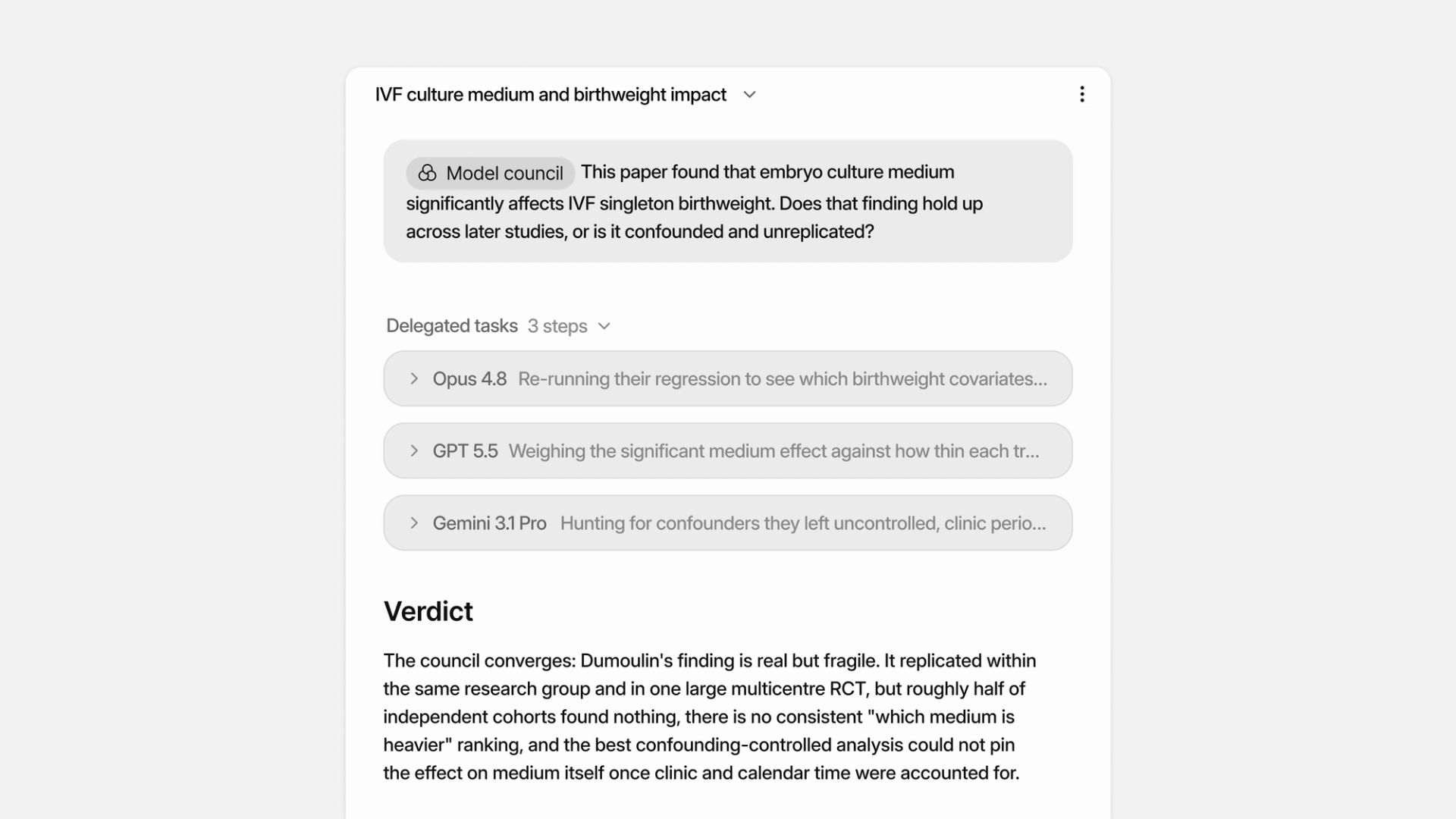
You can now put one question to three models at once and get a single synthesized answer, have anything you select explained in place while you read, search across every conversation you have ever had with Anara, and recover anything you delete for 30 days. Here is what's new.
Model Council
Model Council puts one question to three models in parallel and returns a single synthesized answer that leads with the verdict, then shows where the models agree, where they disagree, and what each one uniquely found. It is built for the moments you want a second opinion, like checking a hypothesis against the literature before you commit to it. To run one, type @ in the chat input and choose Model council from the Tools section; you can pick which models take part from the model selector at the bottom of the chat input. Available on the Max plan.
Explain, right in the viewer
Reading a dense paper and hit an unfamiliar term? Select any text in the PDF viewer and click Explain. Anara explains the selection using the rest of the document as context, so abbreviations, methods, and field-specific jargon are explained in terms of the paper you are actually reading, not generically. Explain works in chat too: select any text in a reply, including table cells, and get the same grounded explanation.
Search everything you have ever discussed
Your past conversations are now part of Anara's memory. When a question relates to something you discussed before, Anara can search across your previous chats and bring that context into its answer. Cmd+F inside a chat now searches the entire conversation, including messages that are not on screen, and matches partial words. Chats also name themselves automatically, and the names update as the conversation evolves, so your chat list stays easy to scan.
Soft delete
Deleted files, chats, and folders now move to the Trash instead of disappearing. You will find it in the left sidebar: filter, restore, or permanently delete anything from the last 30 days. Restoring a folder brings back everything inside it.