January 19, 2026
Tables, tags, reading progress and performance at scale
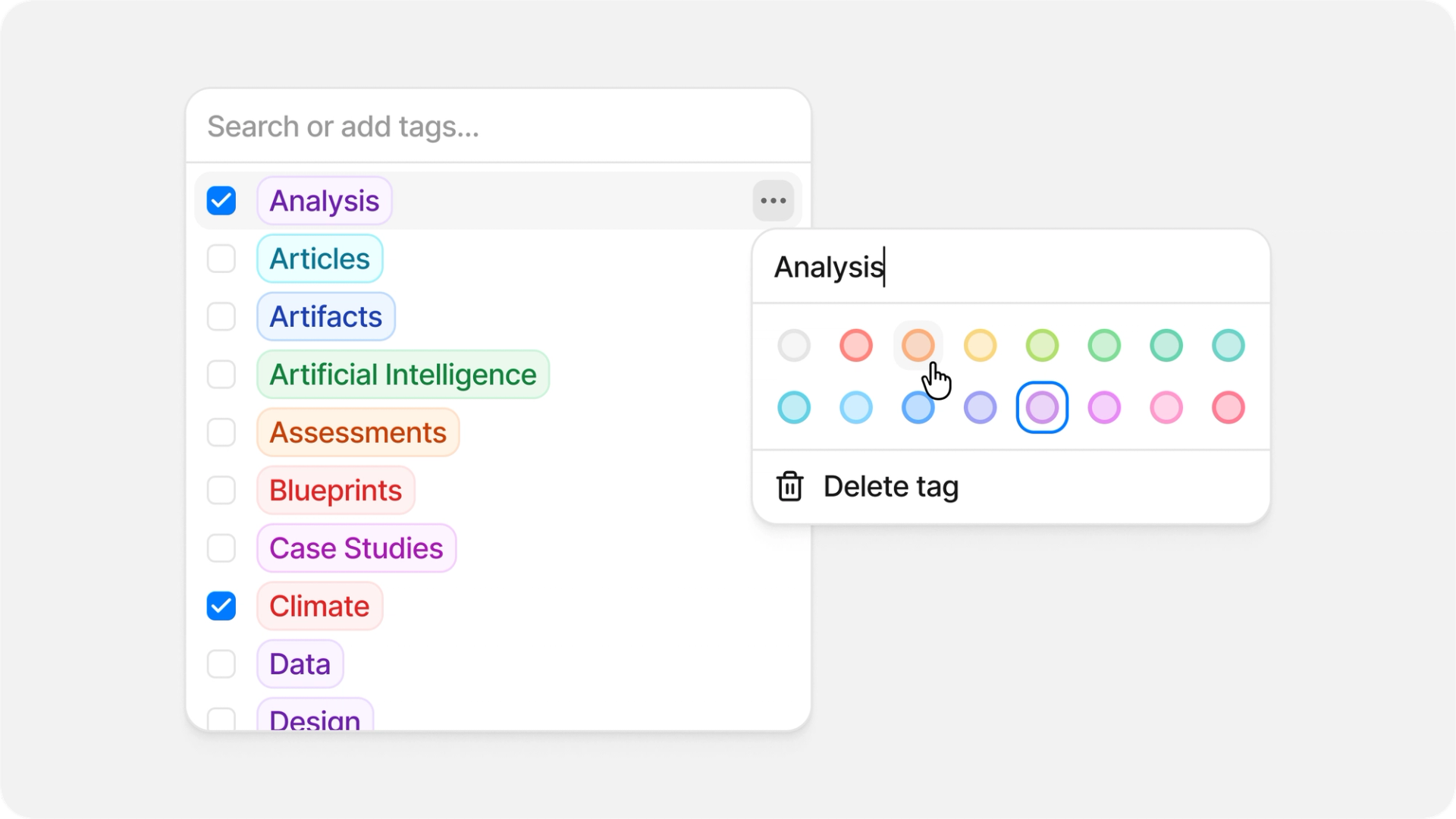
This update introduces a new and improved table UI, custom tags for organizing your library, a reading progress indicator, and major performance improvements for large libraries.
Improved tables
You can now view and interact with structured data directly in Anara across chat and notes.
In chat, ask questions about your documents and Anara will extract and structure data into readable tables automatically. You can select cells and copy them directly to Excel, Google Sheets or Apple Notes. Download any table as a CSV file, or expand it to save as a note for later reference.
In notes, tables now have better controls for organizing your data. Resize columns by dragging, reorder rows with drag and drop, and use the row and column menus to insert, delete or copy content. Cell selection lets you work with specific ranges, and columns can be sorted with a single click.
Tags
Create custom tags to organize documents your way. Assign colors to make tags easy to spot, edit names and colors anytime, and apply them across your library. Tags are workspace-wide so your whole team can use the same organization system.
Reading status
A new progress indicator shows how much of a document or video you've consumed. The visual progress circle appears in the table and right sidebar, updating as you scroll through PDFs, websites, notes or watch videos. Progress can fluctuate naturally as you navigate through content and locks at 100% once you've reached the end. Reset it manually anytime to start fresh.
Large library performance
Libraries with thousands of files now load significantly faster. Your files load in batches as you scroll, so you can start working right away instead of waiting for everything to appear. No more long waits or lag when browsing large workspaces.
Improvements
- Images from imported websites are now analyzed and described, giving you better context when chatting about imported content.
- Copy button now includes a dropdown to copy with or without citations. Use Cmd/Ctrl+Shift+C to copy with citations intact.
- Improved in-text referencing formatting accuracy by using page metadata to provide more precise page number references.
- Filter button shows a plus icon after applying a filter, making it clearer that you can add multiple filters.
- Folder owners are now displayed in settings, matching the layout used for workspace members.
- Visiting a shared folder link you don't have access to now shows a helpful message instead of silently redirecting.
- You can now delete your account even when your subscription is set to cancel at the end of the billing period.
- Improved visual consistency of focus states across all form inputs.
Fixes
- Fixed an issue where in some cases folders would move back to their original location after being dragged into another folder and refreshing the page.
- Fixed an issue where Deep Search could occasionally hang on the final step.
- Fixed zooming in the PDF viewer with Ctrl+Scroll displaying "NaN%" instead of the correct zoom level.
- Fixed in-text citations being placed after the first word of the following sentence instead of at the end of highlighted text.
- Fixed an issue where mentioning a document in chat while workspace indexing was disabled would fail to provide a response.
- Fixed an issue where downloaded files would have incorrect names instead of matching their display name in Anara.
- Fixed missing timestamps on recently uploaded files - Files now display their upload time in the Recents section on the home screen.
- Fixed an issue where in some cases annotations could not be deleted from the right sidebar.
- Fixed an issue where clicking on annotations with comments wasn't scrolling to the correct location in the document.
- Fixed Harvard citation format to no longer include total page count, which is not standard for this citation style.
- Fixed an issue where red text was incorrectly appearing in generated summaries.
- Fixed text styling in thinking sections where lists appeared in black instead of the expected gray color.
- Fixed an issue where drag-and-drop was incorrectly triggered when interacting with list items.
- Fixed markdown rendering issues across summary, chat, and right sidebar panels for improved text formatting and readability.
- Text no longer loses its last character when adding a citation to content containing a period.